The only laptop accessories worth carrying

Most laptop accessory lists are full of stuff that sounds good on paper and lives in a drawer two weeks later. This isn't that (I hope). These are the things that I actually find useful as someone who works from home, coffee shop, the bar, my couch, wherever.
The rule I go by: it has to work well and look good doing it. Function and form. Not function or form. I’m a little vain, sue me.
I actually edit from a T5 I got years ago, this bad boy rules. Fast, tiny, and built like it could survive being dropped on concrete — I’ve tested that unintentionally. T5 isn’t available anymore but this T7 is even faster.
Up to 1050MB/s read speeds over USB 3.2 — fast enough for 4K editing without choking
Fits in the palm of your hand, weighs almost nothing
AES 256-bit hardware encryption built in, which matters if you're carrying client work around
Available up to 4TB — enough to keep your entire working drive offloaded from your laptop
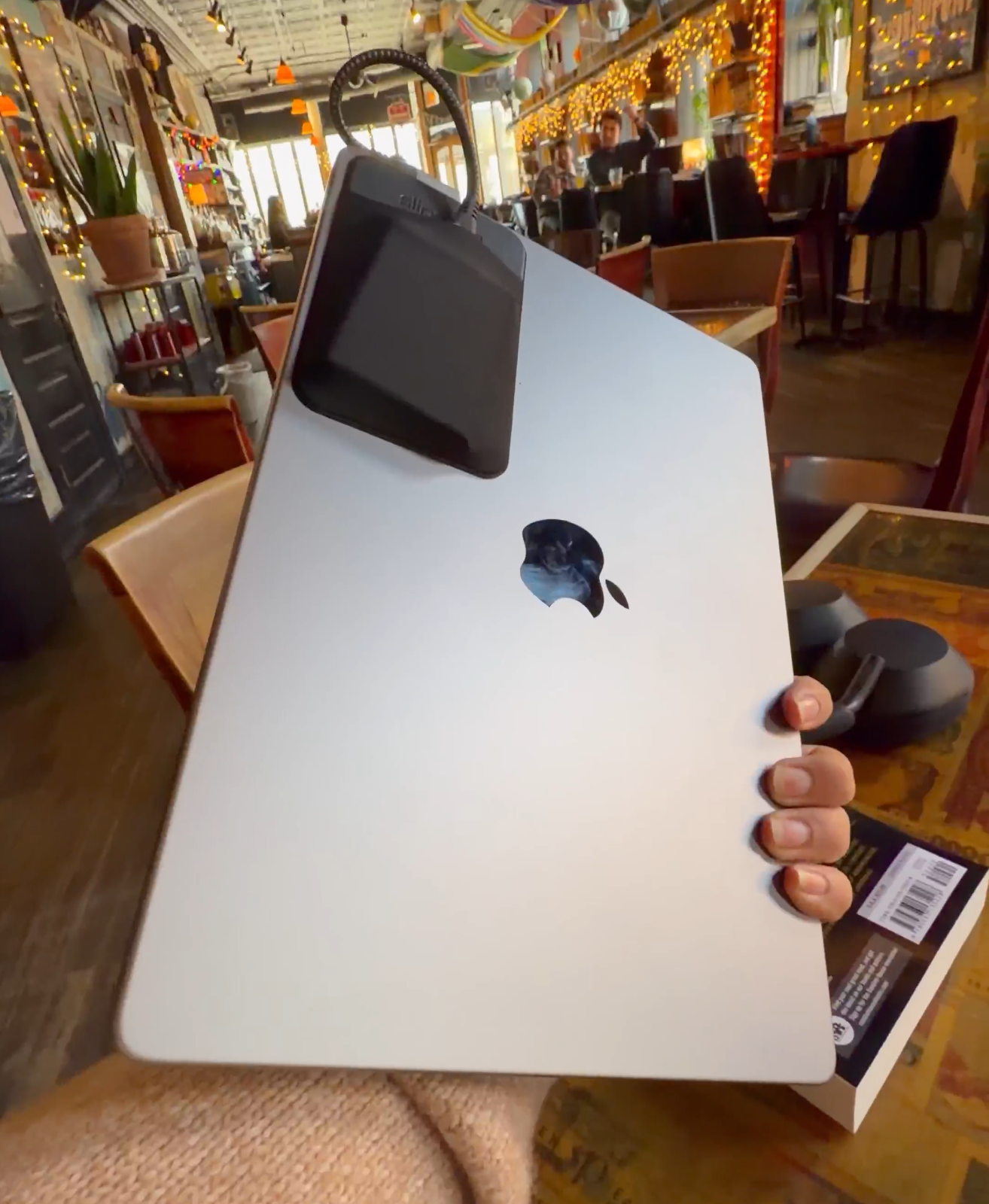
This one changed my setup more than anything else on this list. It's a 3M adhesive sleeve that sticks to the back of your laptop and holds your SSD flush against it. Strictly speaking not necessary but since I rarely even disconnect it, it’s nice and clean without digging around for it.
Reusable adhesive that leaves zero residue when removed
Elastic sleeve and internal strap keep the drive locked in place
Slim enough that it barely adds any profile to your laptop
Works on laptops, tablets, monitors — anywhere flat
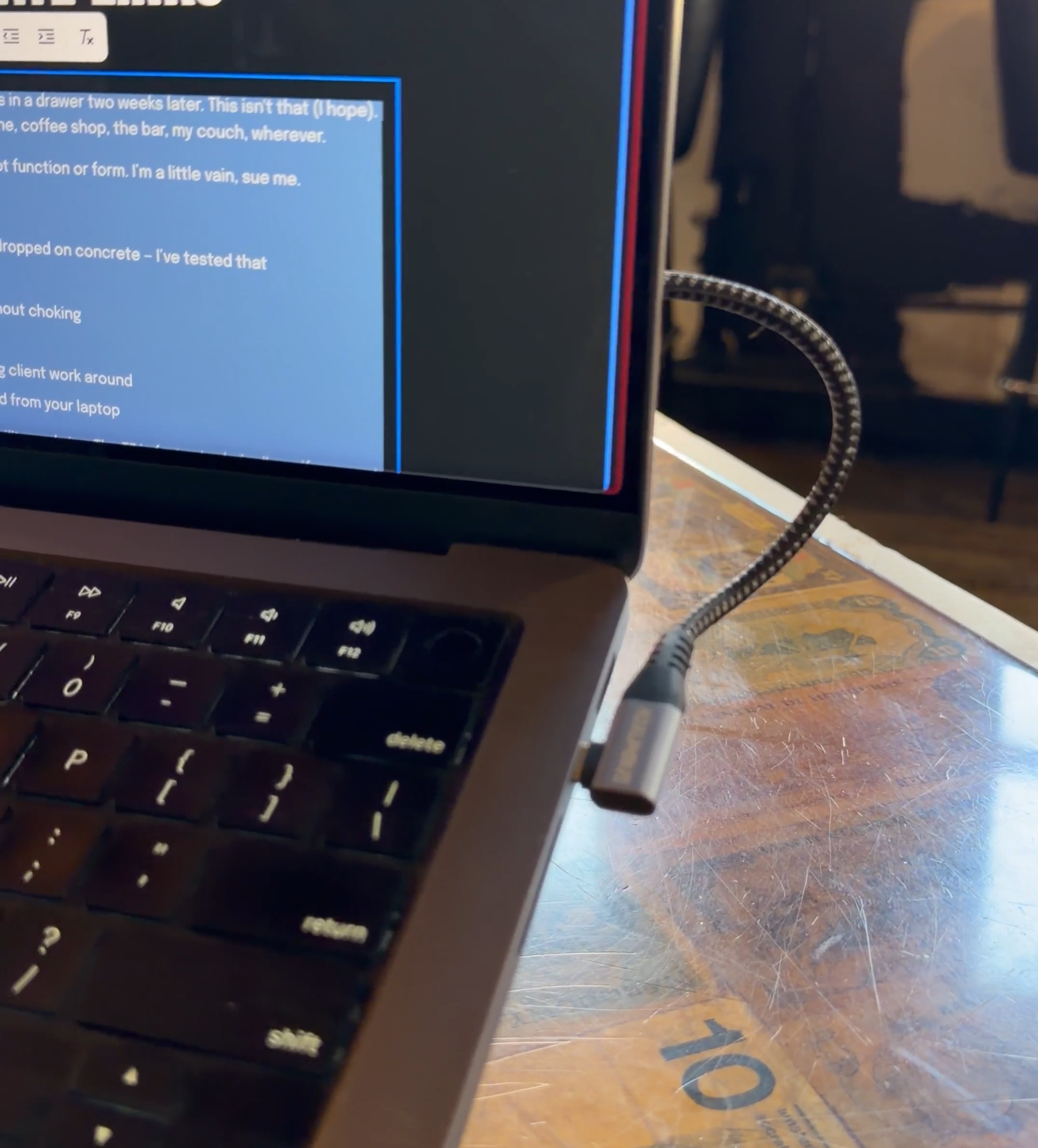
Pair it with a short right-angle USB-C cable and your SSD is basically invisible when you're set up. It looks intentional rather than like a drive duct-taped to your machine.
3. Short Right-Angle USB-C Cable
The cable is doing more work than people realize. A standard length cable works but can be finnicky — it snags, it pulls, it makes your setup look messy. A short right-angle cable keeps everything flat and low-profile against the back of the machine.
Right-angle connector sits flush so nothing protrudes awkwardly
Short length (6 inches) means no slack, no snag
USB 3.2 Gen 2 rated — no bottlenecking your SSD speeds
This is the detail that separates a setup that looks intentional from one that looks like you just plugged stuff in. See for yourself.
The single biggest quality of life upgrade for anyone who works in public. Your laptop sitting flat on a table is bad for your neck, bad for your posture, and honestly just looks like you're hunched over your homework.
A good riser fixes all of that and does something the built-in stand can't — it elevates your screen to eye level so you're looking forward instead of down, which makes a multi-hour session in a coffee shop actually survivable.
This one folds flat and sticks to the bottom of your laptop, very low profile even when not in use.
Grippy feet that don't slide on any surface
Plus I like the aesthetic and it matches my space gray MacBook Pro (silver one available)
This is the function AND form pick on the list. I get compliments on this one occasionally so sometimes that vanity matters.
5. USB-C Hub
If you're on a modern laptop you have two USB-C ports and a headphone jack and that's it. Which is fine until you're trying to connect a monitor, charge your laptop, transfer from your SSD, and plug in one other thing simultaneously.
A compact hub solves this without making your setup feel like a data center.
Look for one with at least HDMI, two USB-A, USB-C passthrough charging, and an SD card slot
Compact form factor that sits flat rather than hanging off the side of your machine
Bus-powered — no extra cables, no wall adapter needed
The Anker and Satechi options in this range are both solid. Don't overthink it, just get one.
Everything above is for when you're set up. This is for when you're in transit. A good sleeve protects the machine, keeps your setup organized, and — again — looks intentional when you pull it out of your bag.
Slim profile that slides into a backpack without adding bulk
Interior pockets for your hub, cables, and anything else in this list
Materials matter: wool felt and ballistic nylon both hold up and look clean over time
Skip the padded zip-around cases that look like they came with a laptop purchase. Get a sleeve that you actually want to carry.
The Setup In Practice
SSD in the Slipdrive on the back of the laptop. Right-angle cable keeping it flat. Riser in the bag. Hub in the sleeve pocket. The whole thing takes two minutes to set up anywhere and looks like you meant to do it that way. Because you did. Sometimes I want the mobile setup to feel and look cool, ok?